Feb 17 2026
Streamlining Specification Writing for Accurate, Coordinated Documentation
Streamlining Specification Writing

1. The Role of Specifications in Construction Documentation

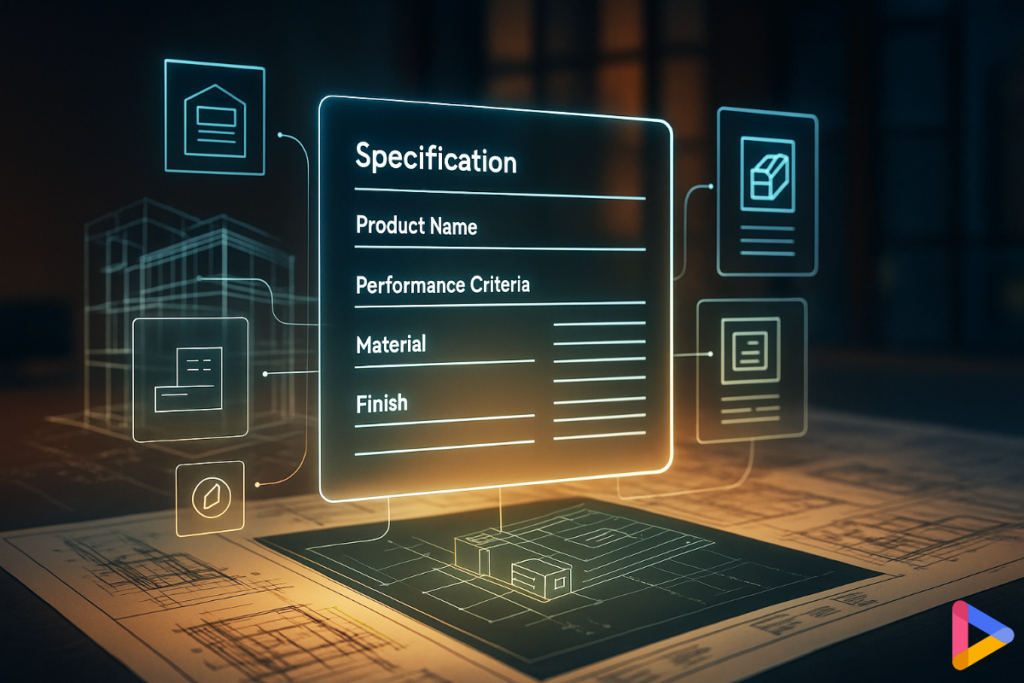
Specifications turn drawings into enforceable requirements. They define performance, compliance, and liability. It includes what products must do, how they’re installed, tested, and warranted. Drawings show where and how it goes together, while specs state what it must achieve and what evidence proves it. Treated as a pair, drawings and specs form a single design intent. The drawings tell a crew how to build, while the spec tells a reviewer and contractor what “acceptable” means.

A well-written spec also clarifies scope boundaries and reduces disputes by making responsibilities explicit.

2. Understanding Specification Frameworks

Specification frameworks give your team a shared structure, so names, scope, and responsibilities don’t drift as the project evolves. Many of the most widely used frameworks are developed and maintained by professional bodies, such as the Construction Specifications Institute (CSI), to standardize how building information is organized and communicated across the industry.

  • MasterFormat (work results): organizes specifications by trades and spec sections. This structure is ideal for procurement, subcontractor bidding, execution requirements, and closeout deliverables.
  • UniFormat (systems and assemblies): useful early in design when you’re defining walls, roofs, and floors at the system level before product-level decisions are finalized.
  • Structured specification libraries (NBS in the UK and similar systems): help standardize clause language, reduce free-text ambiguity, and improve consistency across projects and teams.

A practical approach is to use one primary backbone for the project (often MasterFormat), while referencing UniFormat during early-phase decisions and system breakdowns. The goal is not to create extra paperwork. It’s to keep documentation consistent and scalable.

Standardization anchors coordination and quality control: a single name across the model, tags, schedules, and the specification section, so edits propagate cleanly rather than forking into contradictions.

3. Best Practices for Clear, Concise Specs

Effective specifications should feel like clear decisions rather than a back-and-forth negotiation. Strive to use straightforward language, maintain a consistent structure, and include criteria that can be tested.

  • Write for action:
    Imperative voice (“Provide… Install… Verify… Test…”).
  • Lead with performance:
    Specify outcomes (perm rating, fire resistance, STC, slip resistance) and accepted test methods; list brands as basis of design with equals-or-better evidence.
  • Kill ambiguity:
    Define submittals, mockups, field tests, and acceptance criteria.
  • Avoid bloat:
    Remove legacy copy-paste; if a requirement won’t be enforced or tested, cut it.
  • Keep substitutions predictable:
    State evidence required, compatibility checks at interfaces, and who approves changes.
  • Call out interface responsibility:
    Clarify who provides primers, continuity layers, backing, and prep where trades meet.

The outcome is fewer RFIs, cleaner submittals, and a record set that holds up in disputes.

4. Integrating Real Product Data for Accuracy

The fastest path to accurate specs is live product data that stays linked to drawings and schedules.

  • Link assemblies to current data:
    Tie wall, roof, and opening types to manufacturer sheets (model numbers, listings, certifications, EPDs). When a basis-of-design product updates, the spec and detail notes update together. Product data changes faster than most spec templates do, so linking ensures that outdated requirements do not persist in issue sets.
  • Surface relevant options in context:
    As designers choose an assembly type or performance target, set up your workflow to surface eligible products (rating, region, compatibility) rather than forcing a hunt through folders.
  • Automate consistency:
    Push key properties (perm ratings, fastener types, finishes) from the same source into detail callouts, schedules, and spec clauses so the numbers match everywhere.
  • Record decisions once:
    Product selection, evidence, and approvals should travel with the element into tags, schedules, and the specification section, so late changes don’t fork the truth.

Done well, teams stop reconciling mismatched notes and start reviewing content that already agrees.

5. Avoiding Common Specification Errors

Most spec mistakes are information-management problems, not writing skill issues.

  • Mismatched references:
    Detail calls for one membrane; spec lists another. Fix by anchoring both to the same product record and property set.
  • Outdated names and codes:
    Stale model numbers linger from prior jobs. Use a single product source with version/date and warn on deprecated entries.
  • Inconsistent substitution rules:
    Unclear evidence and approval paths invite disputes. Define the test data required, mockup expectations, and interface checks in one place.
  • Weak pre-issue QA:
    Missing performance values or conflicting clauses slip through. Run a pre-publish validation for required fields, banned phrases, and cross-references (detail IDs, schedule rows, spec sections).
  • Revision drift:
    A wall type changes late, but spec sections and submittals still reflect the old basis-of-design. Prevent this with change logging and linked updates.

Small guards prevent big cleanups.

6. Toward Smarter Specification Management

Specifications should grow with the design, not trail it. Many of the most persistent specification errors, especially mismatched references, stem from poor information management rather than writing skills. This problem is amplified when architects move daily between drawings produced in a design platform and specifications maintained in a separate system.


Smarter specification management treats specs as part of daily production, not end-of-phase cleanup.

  • Integrate drawing and specification workflows:
    When drawings and specs live in disconnected systems, changes must be reconciled manually. Integrating the two consolidates drawing, model, and product information and significantly reduces mismatches.
  • Anchor specifications to live product data:
    Tie specification clauses to the same product records that inform details, tags, and schedules. When a basis-of-design product changes, requirements update together instead of forking.
  • Structured data first, not free text:
    Store performance values, approvals, finishes, and ratings as fields that can be validated and reused across drawings and specs.
  • Human-centered automation:
    Let the system flag missing values, naming drift, and broken links while architects and spec writers focus on judgment, performance trade-offs, and constructability.
  • Living specifications:
    Keep specs versioned, auditable, and synchronized across milestones so they reflect the current design state, not last month’s assumptions.

Platforms like D.TO support this approach by connecting product navigation and specification management directly to BIM-integrated documentation. By streamlining the drawing-to-specification workflow from day one, teams spend less time reconciling conflicts and more time improving design quality.

Quick checks you can run this week

  • Pick one wall type and one opening type: do the detail note, schedule row, and spec clause echo the same name and performance values?
  • Does your template force performance criteria up front and keep brand mentions as basis-of-design?
  • Before issue, can you run a spec ↔ drawing check for missing values and mismatched IDs?

Success signals

  • Submittals move faster because the drawings and specs agree on the first pass.
  • RFIs about “what product / what rating?” decline across packages.
  • Fewer post-issue edits; substitutions are approved with clear evidence and no interface surprises.


Ready to streamline your Design and Documentation workflow? 

Discover how D.TO enhances your daily design workflows on D.TO’s key features page, or schedule a demo to explore them in more detail!!

Written by D.TO: Design TOgether

Empower your daily practice